
Macon County VINELink Release Coverage
North Carolina calls its VINE service NC SAVAN, the North Carolina Statewide Automated Victim Assistance and Notification system. The official NC SAVAN overview says the network electronically links all North Carolina jails with Adult Correction prison, probation, and parole data. VINELink provides the public search and online registration route. That broad state connection makes it useful when a person may have moved between the Macon County Detention Center and a state correctional record.
Coverage must still be matched to the reporting agency. A Macon County jail record concerns the local booking. An NC DAC record concerns state prison or community supervision. Probation is court-ordered supervision in the community and can exist without a prison admission. Parole is a form of discretionary release for eligible sentence types. Post-release supervision is the supervised phase that follows covered state prison sentences. None of those labels should be read as a local jail release unless the source record says so.
NC SAVAN does not replace BOP, ICE, or U.S. Marshals records. The Bureau of Prisons locator covers federal imprisonment history. The ICE locator reports current civil immigration detention. The Marshals Service prisoner information does not provide a comparable public historical inmate search. Start with the last known custodian so that a blank VINELink result is not mistaken for proof that all custody ended.
Search Macon County VINELink Records
Use VINELink for a specific person rather than as a general list of everyone recently released. Gather only enough information to distinguish the correct record. A full name, middle name, suffix, and known offender or jail identifier can help. Do not merge records just because two people share a name. The reporting agency and status context are as important as the name.
- Open VINELink and choose North Carolina as the state.
- Select the available custody or offender search and enter the person's name or identifier.
- Compare possible matches using the limited displayed identifiers and avoid guessing when details conflict.
- Open the matching record and note whether Macon County, NC DAC, or another agency supplies it.
- Write down the exact status, event wording, offender or jail ID, and search time.
- Use the supplying agency's record when the release reason or destination matters.
The official VINELink landing screen captured below shows the state-selection and search entry point documented for this process.
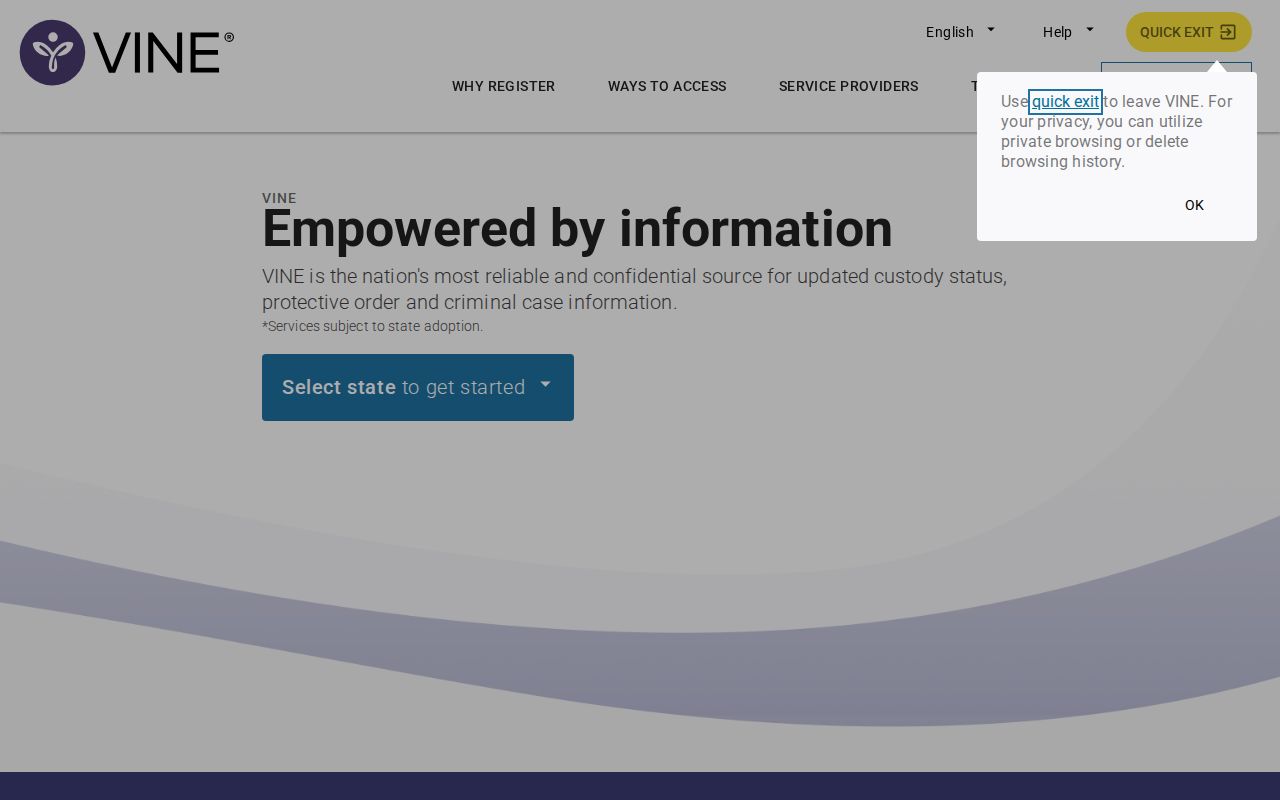
Choosing North Carolina first prevents a same-name match from another state from being treated as a Macon County record.
If the search does not return a match, confirm spelling and agency scope. Then use the full Macon County released inmate search to check the sheriff, court, state, and federal paths without assuming release.
Macon County VINELink Release Fields
A VINELink or NC SAVAN result can present a small set of event and identity fields. The live record controls because not every field appears for every agency or person. A blank field is not proof that no event occurred. Save the precise label instead of replacing it with a broader conclusion.
| Field | How to read it |
|---|---|
| Reporting agency | Identifies the jail, DAC unit, or supervision source supplying the event |
| Offender or jail ID | Helps connect alerts and agency requests to the same record |
| Custody or supervision category | Distinguishes jail, prison, probation, parole, or another state status |
| Current status | Reports the agency's current status wording at the search time |
| Event date or time | Places the supplied custody change in time |
| Facility or limited location | May identify the current or reporting custodian |
“Released” means the supplying agency reported a release event. It may not explain whether the reason was bond, time served, sentence completion, court order, or another category. A transfer has a narrower meaning: the person left one participating facility and responsibility moved elsewhere. When the destination matters, ask the sheriff or DAC for its event and check the receiving agency.
- Release
- An end to physical custody under the reporting record, which may or may not end the case or supervision.
- Transfer
- A move from one custodian to another, not a return to the community.
- Discharge
- An end to a sentence or supervision duty as defined by the controlling agency record.
- Detainer
- A hold or transfer request from another authority that may keep custody in place.
Note: Copy short field labels exactly and identify their source before describing the legal or physical effect of an event.
Register Macon County Release Alerts
Register from the correct person's record after checking the agency. NC SAVAN may offer phone, email, text, or TTY channels based on the service and event. Telephone registration is also available at 1-877-627-2826. Contact information entered for an alert should belong to the registrant and should be kept current.
- Open the correct Macon County or NC DAC record in VINELink.
- Choose notification registration for the available custody events.
- Select an offered phone, email, text, or TTY delivery method.
- Enter the destination and create the four-digit PIN when prompted for telephone notice.
- Complete the confirmation steps and store the PIN in a safe place.
- When an automated telephone alert arrives, enter the PIN to acknowledge receipt.
The state says an acknowledged PIN stops repeat telephone calls for that event. Without acknowledgement, routine calls can repeat during the calling window, while critical release, escape, or capture events can prompt more frequent calls. Email is sent once for the event. These delivery rules explain why a phone may ring more than once and why acknowledgement matters.
Registration tracks the selected record. It does not automatically follow every later agency record after a transfer. Keep the offender or jail identifier and the reporting agency name available in case support or the receiving custodian must be contacted.
Confirm Macon County VINELink Releases
Treat the alert as a timely signal, then ask the originating agency for details. For a Macon County jail event, contact the Law Enforcement Center at 828-349-2104 or use mcsopio@maconnc.org for a focused public-information request. Ask for the exact booking, release timestamp, release code and definition, and receiving agency or destination when recorded. For an NC DAC event, use the official offender record and DAC records channels.
A court record answers a different question. The North Carolina Portal can show case information, while the Macon clerk holds filed orders and judgments. A signed release order can explain legal authority but may predate completion of jail processing. The sheriff's timestamp records the operational event. When dates differ, label each date by source rather than treating one as an automatic error.
Federal custody is outside the normal NC SAVAN jail and DAC trail. Use the BOP locator for a federal prison record and its reported release date. Use ICE for reported current immigration detention. If a Macon jail event names a federal transfer, confirm both the sending and receiving sides before describing the person as released to the community.
Re-Register After Macon County Transfer
The transfer rule is the most important local notification detail. The NC SAVAN detailed guidance explains that when a person moves out of a participating jail but remains in another agency's custody, SAVAN sends a transfer event. The registrant must search or call and re-register under the receiving custody record to continue notice.
That means an alert tied to Macon County Detention Center may end when the local record ends. If the person enters NC DAC, another county jail, or another participating agency, find that new record and set a new registration. Do not wait for the old Macon County record to report a later state prison discharge. It may no longer be the active notification source.
The official NC SAVAN page captured below documents statewide coverage, registration, the telephone PIN, and the transfer rule.
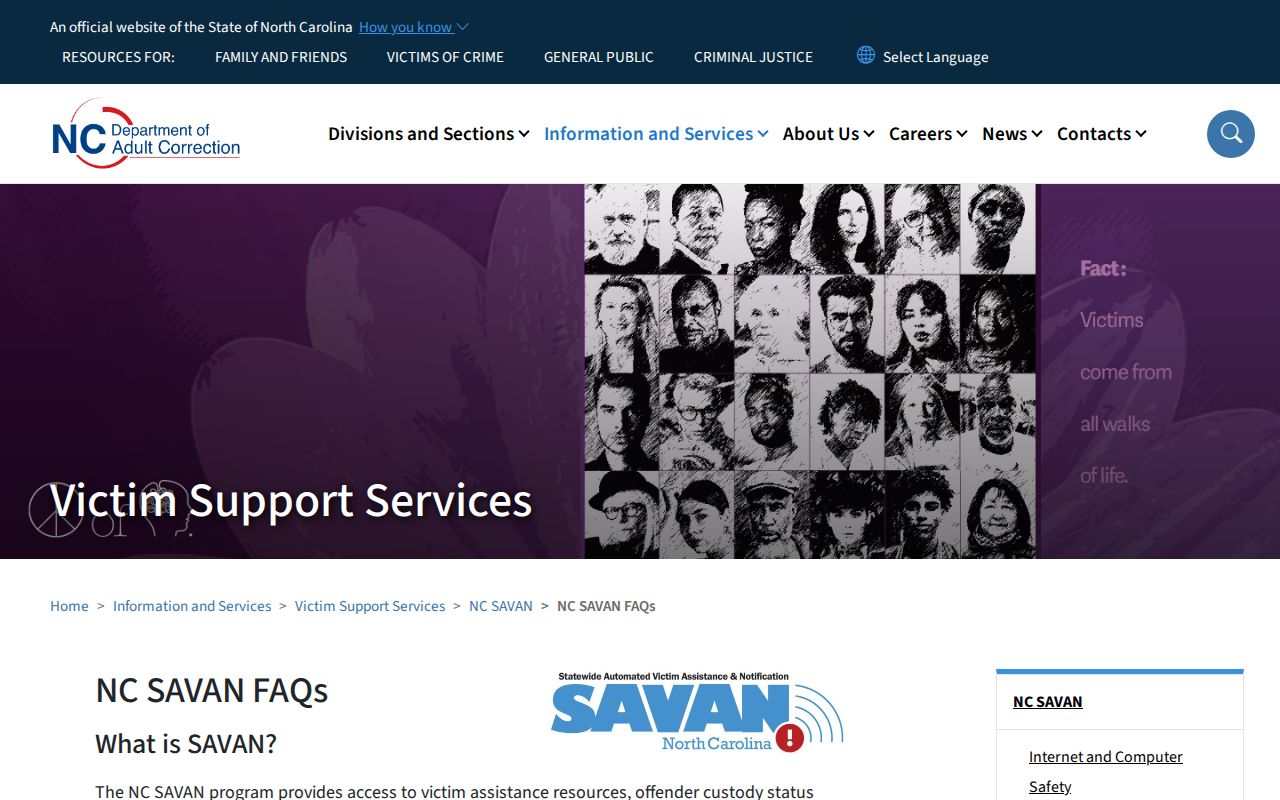
This re-registration step preserves notice across a custody move and prevents a transfer alert from being mistaken for release to the street.
- Read the transfer alert and record the agency named in the event.
- Search the receiving agency through VINELink or its official locator.
- Match the person with the displayed identifiers and custody context.
- Register again on the new record using the desired alert channel.
- Confirm the transfer with the sending or receiving agency if the destination is unclear.
Macon County Release Alert Timing
NC SAVAN operates continuously, including weekends and holidays. Critical events can be sent at any time. Continuous operation does not mean that every agency event reaches the recipient at the same instant as the physical move. Data transmission, agency coding, contact settings, and phone or email delivery can affect when a notice is received.
Use three timestamps when precision matters: the time the agency says the custody event occurred, the time displayed or received through SAVAN, and the time the result was checked. Preserve the wording with each time. If those values differ, the sheriff or DAC remains the better source for a disputed event reason and operational timestamp.
| Alert observation | Supported next action |
|---|---|
| Macon County record says released | Ask the sheriff for reason and destination |
| Record says transferred | Find the receiver and re-register |
| DAC record shows supervision | Read status as community supervision, not jail custody |
| No result appears | Check spelling, agency scope, and direct custodian records |
| Event time conflicts with an order | Label both sources and request the operational event |
A notification is most useful when it triggers the correct follow-up. It is not a permanent certified archive. Save the agency response or official record needed for later release verification.
Note: Never publish extra personal identifiers merely because the search form accepts them for matching.